
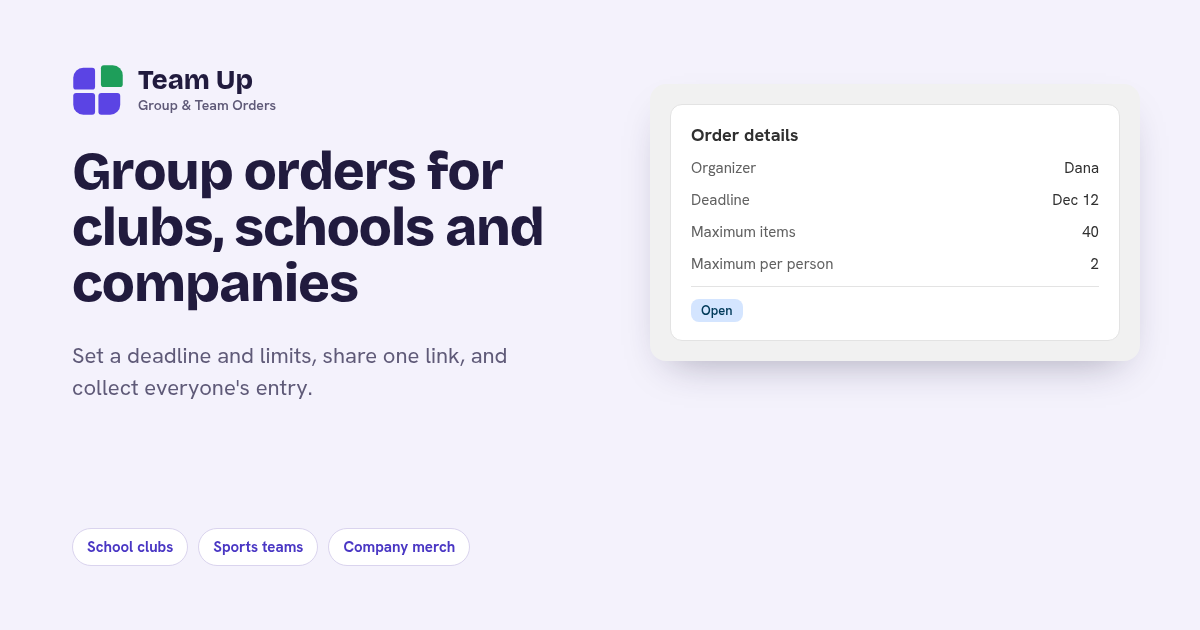
Clubs, schools and companies buy decorated apparel in groups, and each has its own habits: a parent volunteer, a teacher, an office manager. The right setup is the same in all three. Decide the deadline, who can join, how much each person may order, and who pays.
Who orders in groups
- Sports clubs and leagues: jerseys, warm-ups and spirit wear, usually before a season.
- Booster clubs and parent groups: fundraising shirts and event apparel.
- School classes: a hoodie or tee for a class, a trip or graduation.
- Offices and companies: polos and jackets with a logo for a team or an event.
In every case there is an organizer who talks to you and a group of people who need to pick sizes. Your job is to make the organizer's work small and the group's choices clear.
Decide the rules before you share the link
Set a deadline
A deadline is the most useful single rule. It tells people when to answer and tells you when production can start. A week or two is common for a club; a company launching a product may need less. After the deadline, nobody can join or change an entry unless the organizer extends it.
In Team Up the organizer picks the day the order closes, or leaves it empty and closes the order by hand. If they leave it empty, the shop's default number of days applies when one is set. A closed order can be reopened, and the deadline can be moved later, so one forgotten teammate does not mean starting again.
Decide who can join
For most clubs, anyone who has the link is the right audience. The organizer shares it in the group chat and anyone on the team can add their item as a guest, with no account.
Some groups need more control. A company may want only named employees to order, and a school may not want a link forwarded beyond a class. Team Up supports invite-only orders: the organizer invites people by email, each invitation works for one person, and they log in to the store to join. That feature is part of the Team Grow plan.
Set a maximum
The organizer can cap items per person and items in total. Per person is useful when the group order is for one shirt each. In total is useful when you can only make a fixed number of pieces, or when a budget is set. When the cap is reached, the page tells the next person that there is no room.
Reward bigger orders with a discount ladder
A group discount ladder turns a bigger order into a better price, and gives the organizer a reason to bring in more people. A ladder is a list of levels. Each level unlocks at a threshold and grants a reward.
- The threshold is either a number of items or an order subtotal. One ladder uses one or the other.
- The reward is either a percentage off or a fixed amount off, again one kind per ladder.
- Levels must climb: each threshold and each reward is higher than the one before. A ladder can have up to ten levels.
While people join, the page shows how far the group has come and what is left to unlock the next level, for example how many more items it takes. When someone adds items, they see what the group would unlock with their items. The estimate is a guide: the store confirms the final price after the order closes.
Group discounts start on the Team Up plan, at $10 a month. Compare the plans before you promise a ladder to a customer.
How the organizer pays
In a group order, the people who join do not pay while joining. The organizer pays once for everyone when the order closes, and settles up with the group in whatever way they agree. That is why the organizer should know about it before they accept the job.
With the default flow in Team Up, closing the order creates an invoice for the whole group. The organizer goes to Shopify checkout to pay, and the invoice sent by email opens the same checkout, so they pay only once. The organizer's page shows the order as paid when the payment arrives.
Some orders cannot be priced automatically: a custom quote, special finishing, a mix of items. On the Team Grow plan, an order can go to the store for review instead. The store sets the final price and then emails the invoice. Team Grow also has an option for local delivery, where no invoice is sent and the store contacts the organizer to agree the address, time, fee and payment.
A simple plan for each type of group
- A club: public link, a deadline two weeks out, a discount ladder by number of items.
- A school class: public link, a per-person cap of one or two items, a short deadline.
- A company: invite-only, an item cap per person, and a store review if the logo work needs a custom quote.
These are starting points, not rules. If you are weighing whether a group order is the right format at all, read team store vs group order. For the full flow from link to invoice, see how to run a team order on Shopify.
Frequently asked questions
Can I limit who joins a group order?
Yes. A group order can be open to anyone with the link, or invite-only. For an invite-only order, the organizer invites people by email, each invitation works for one person, and they log in to the store to join. Invite-only orders are part of the Team Grow plan.
How does a group discount ladder work?
A ladder has up to ten levels. Each level unlocks at a number of items or an order subtotal and gives a percentage or a fixed amount off. Thresholds and rewards must increase from one level to the next. Group discounts are available from the Team Up plan.
Who pays when the order closes?
The organizer pays once for the whole group. They go to Shopify checkout through the invoice, and the group settles up with the organizer however they agree.
What if the deadline passes and someone still needs to order?
The organizer can extend the deadline or reopen the order, and people can join again. If the order has an unpaid invoice, reopening deletes it first.
Run group orders for clubs, schools, and companies with one link, live rosters, and one consolidated invoice — free to start.
Install Team Up on Shopify