
A soccer club wants forty shirts, a school class wants hoodies, an office wants polos with a logo. Everyone needs a different size, and one person is paying. Here is how to run that kind of team order on Shopify without losing a week to messages and spreadsheets.
Why a team order is awkward on Shopify
A Shopify checkout is built around one buyer paying for one cart. That works well for a single shopper. A team order breaks the model: twenty people each need their own size, one person usually pays for all of them, and you need the whole thing as one order you can print and ship.
Shopify does not have a built-in group order feature, so shops improvise. The improvisations all end up in the same place: someone has to collect sizes from many people, check them against your catalog, and turn the result into one order. The question is how much of that work lands on you.
Three ways to collect a team order
1. Messages and a spreadsheet, then a draft order
The classic method. The organizer texts the team, writes the answers into a spreadsheet, and sends you the sheet. You create a draft order by hand, line by line, and email an invoice. It needs no software, and it works for a team of six. It gets painful at twenty: people answer late, answer twice, type "large" when you sell "L", or forget to say which color.
2. A shared form that feeds a spreadsheet
A form removes the typing errors, because each person picks from a list. You still have to match the responses to your real products and variants, and the form does not know when a size is sold out or what the price is. The step from responses to an order is still manual.
3. An app that gives the team one link
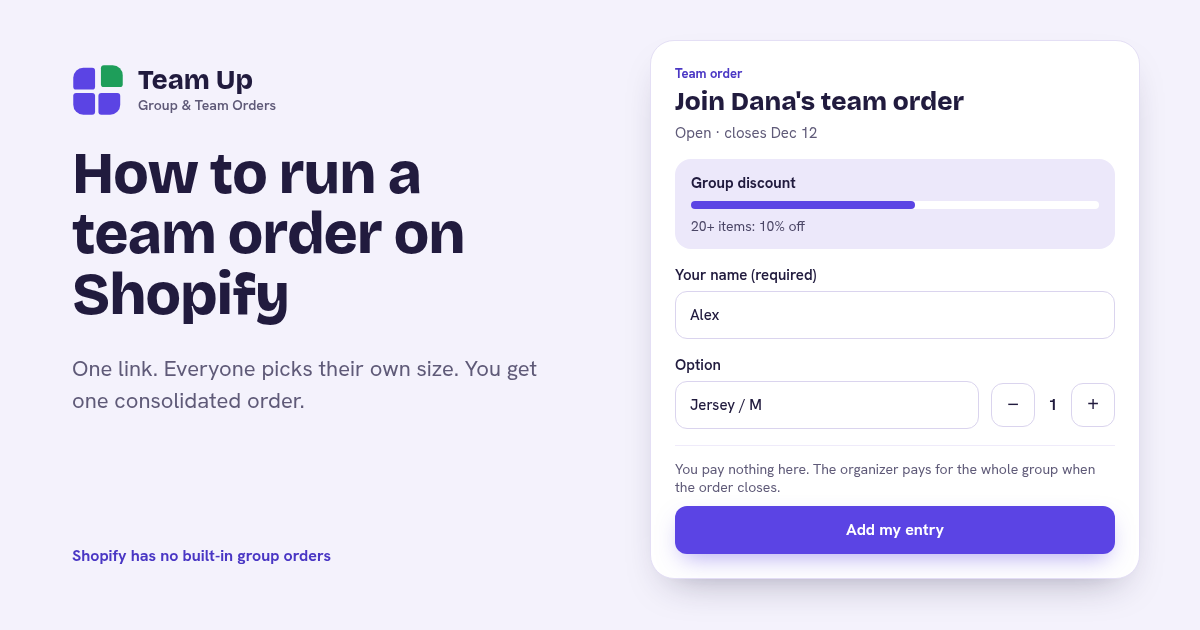
The third option is to let each person choose from your real catalog and have the choices add up to one order automatically. This is the job a team order app does. The organizer shares one link, every member picks their own size and details on that link, and you receive one consolidated order.
What a good team order flow needs
Whether you use a spreadsheet or an app, the flow only works if it covers the same few things:
- One place for everyone to answer, so there is a single link to share rather than twenty conversations.
- Choices that come from your real products, so sizes, colors and prices are never retyped by hand.
- A deadline, so the order has an end and you know when to start production.
- A running list of who has answered, so the organizer can chase the people who have not.
- One payer. The organizer pays for the group and settles up with the team however they agree.
- One consolidated order at the end, with totals per size and option for your print floor.
A rule of thumb
If you run a team order once or twice a year, a spreadsheet and a draft order are fine. If you get several a month, the hours you spend copying answers are worth more than the cost of automating the step.
How to run it step by step
- Decide what the team can choose. Everyone picks their own item, or the item is fixed and everyone picks the size, or everyone gets the exact same thing.
- Decide the details you need from each person, such as a name or a number to print.
- Set a deadline and, if it helps, a limit on how many items each person or the whole order may include.
- Share one link with the group, and tell them the date it closes.
- Watch the list fill up, and nudge anyone who has not answered.
- Close the order on the deadline, check the totals, and send the organizer one invoice.
How Team Up does this on Shopify
Team Up is a Shopify app built for exactly this flow. You pick the products and the details you want from each person once, and add the Team Up button to your theme. After that, a customer starts a team order from your store and gets one link to send to the group. The member side is covered in its own guide.
Each person opens the link as a guest, with no account and no payment up front, and chooses their own size and options from your real products and variants. The organizer sees a live roster of who has joined and what each person picked, and you get a production sheet that totals every size and option.
When the organizer closes the order, they pay once for the whole group through Shopify checkout, using the invoice the store sends. Your store gets one order instead of twenty. The group settles up with the organizer in whatever way they agree. The app does not collect money from each member.
What it costs
Team Up has a free plan with up to 3 team orders a month and up to 20 items per order, which is enough to try the flow on a real team. The Team Up plan is $10 a month and removes those limits and adds group discounts. Team Grow is $39 a month and adds custom pricing review, questions for the organizer and email invites. See the full pricing for details.
Checklist before you share the link
- Every product and size you want to offer is in stock and in your catalog.
- The details you collect (name, number, color) are the ones the print floor needs.
- The deadline leaves you enough time for production and shipping.
- The organizer knows they will receive an invoice when they close the order.
- You have told the team what happens after the deadline, so late requests have an answer ready.
Once the order is closed, the next step is turning the answers into something your supplier can use. The guide to the production sheet for team orders covers that. If you are not sure whether a team order is the right format at all, read team store vs group order.
Frequently asked questions
Does Shopify have a built-in group order feature?
No. A Shopify checkout is built for one buyer paying for one cart, so a team order needs either a manual process or an app that collects each person's choices into one order.
Do team members need a Shopify account to join?
Not with Team Up. Anyone with the team order link joins as a guest, with nothing to install and no payment while joining. Logging in to your store's customer account is optional, and needed only for invite-only orders.
Who pays for a team order?
The organizer. When the order closes, the organizer pays once for the whole group, and your store receives one consolidated order. The group settles up with the organizer however they agree.
Can I run a team order without an app?
Yes. Collect the sizes in a spreadsheet or a form, create a draft order by hand and email the invoice. It works for small groups, and the manual copying becomes the bottleneck as groups grow.
Turn group orders on Shopify into one shared link, a live roster, and one consolidated invoice — free to start.
Install Team Up on Shopify