
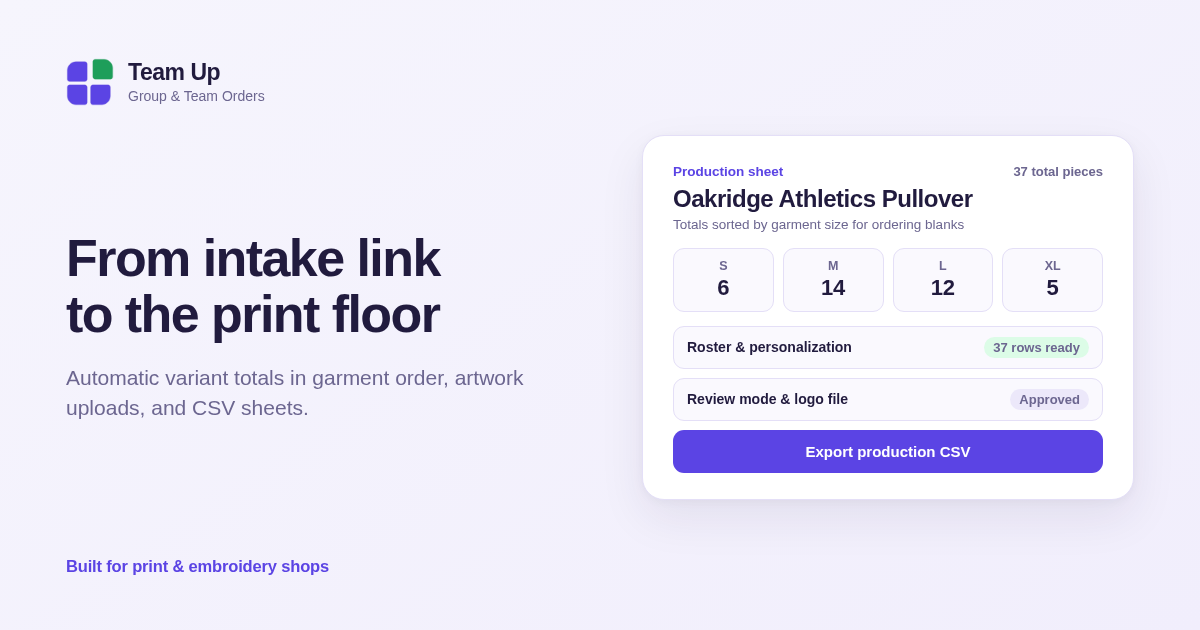
Screen-print and embroidery shops do not lose time at the press — they lose time cleaning messy spreadsheets, chasing blank counts, and verifying custom stitch names. Here is how to structure Shopify group orders from customer intake straight to the print floor.
If you run a decorated-apparel shop on Shopify, group orders are high-margin jobs once they hit the press — because you set up screens or hoop embroidery files once for the whole batch. Where margin leaks away is pre-press administration: translating messy emails and Excel tabs into accurate blank orders and work tickets.
Step 1: Standardize your intake templates ("Offerings")
Do not rebuild questions and product rules from scratch every time a local league or contractor calls. In Team Up, you configure reusable offerings once:
- Attach the real Shopify garments you decorate (tees, hoodies, polos, caps) so sizes and colors match your exact catalog variants.
- Attach reusable personalization fields (Left chest name, Back number, Thread color choice, or Artwork upload).
- Keep your organizer-only questions separate (on Team Grow): company logo vector upload, delivery instructions, or PO reference.
Step 2: Enforce clean boundaries before intake starts
Every print shop has been burned by a group adding 4 extra XXL shirts two days after blanks were ordered.
- Set a clear deadline (with optional auto-close on Team Grow) so intake locks automatically on schedule.
- Let sold-out variants show accurately from Shopify inventory so customers cannot request out-of-stock blanks.
- Use Review mode for custom jobs: if artwork complexity, rush fees, or stitch counts require manual quoting, Team Grow lets the closed order come to your shop for final pricing review before the invoice goes out.
Step 3: Turn closed orders straight into blank ordering & press sheets
The moment the order closes, your shop has two production-ready views without touching a pivot table:
- Variant totals for purchasing: every product grouped with sizes sorted in true garment order (
XS→S→M→L→XL), not alphabetically — so pulling blanks from your distributor takes two minutes. - Item-by-item detail for the print/embroidery floor: every participant row paired with exact variant, quantity, and personalization columns (names, numbers, file names).
- One consolidated Shopify order: instead of matching 25 individual checkout receipts to one batch job, the organizer settles one invoice — or coordinates local delivery directly if you enable local delivery on Team Grow.
Where to start
You can test the full workflow on a real client job using the Free plan (1 offering, up to 3 orders/month, 20 items/order). Upgrade to Team Up ($10/month) for unlimited orders/items and volume discounts, or Team Grow ($39/month) for custom review mode, organizer questions, conditional fields, invite-only links, and local delivery. See the pricing page and Production Sheet for Team Orders (With CSV).
Frequently asked questions
Does the production sheet sort sizes in garment order instead of alphabetically?
Yes. Both the on-screen production sheet and the exported CSV group variants by product and sort sizes in garment order (XS, S, M, L, XL) with exact total quantities for ordering blanks.
Can I review and adjust custom pricing before invoicing a client?
Yes. On the Team Grow plan, you can enable Review mode so closed orders wait for your team to confirm custom pricing, setup fees, or artwork charges before sending the Shopify invoice.
Can the organizer upload artwork or a company logo?
Yes. You can add file upload fields per item or, on Team Grow, ask only the organizer to upload their team or company logo file so regular participants never see that field.
Can local print shops handle local pickup or delivery without an online invoice?
Yes. On the Team Grow plan, you can offer local delivery where no automatic online invoice is sent and your shop arranges pickup or delivery and payment directly with the organizer.
Streamline decorated-apparel group orders from intake link to print-floor CSV production sheets on Shopify.
Install Team Up on Shopify