
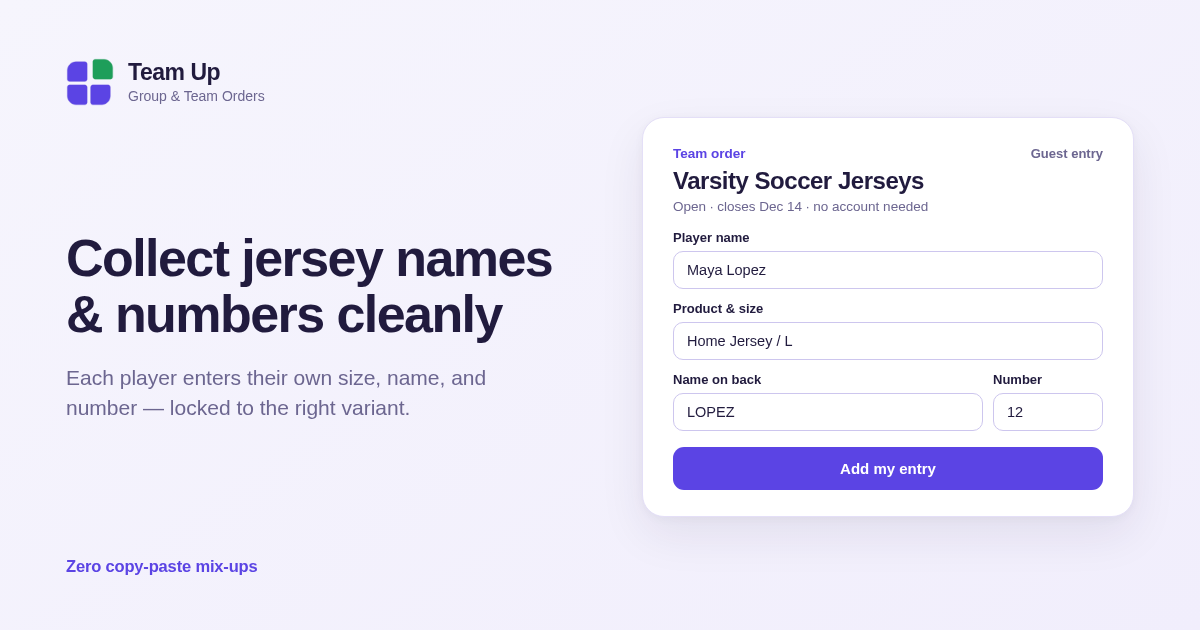
If a player puts "SMITH #12" in an order note for a Medium jersey and "JONES #7" in another note, one copy-paste mistake sends the wrong name to the wrong size. Here is how to collect custom jersey names and numbers cleanly on Shopify.
Sports teams, leagues, and esports clubs rarely buy blank uniforms. Nearly every shirt or hoodie needs a back name, a jersey number, or a sleeve/position option — and every mistake is expensive because personalized garments cannot be resold.
Why standard Shopify product forms struggle with team rosters
Shopify's built-in cart and line item properties work fine when one person buys one jersey. They break down when a coach or team manager needs twenty jerseys in one order:
- One buyer typing twenty rows invites typos: retyping handwritten lists from parents leads to misspelled last names and swapped sizes.
- Line item notes are tedious to total: scrolling through twenty order notes in Shopify admin to count Mediums vs. Larges takes time and invites errors.
- Two shirts for one player get merged or confused: if one player wants a home jersey and an away jersey with different numbers, a single cart form gets messy fast.
Let each player enter their own name, number, and size
With Team Up, the coach or organizer opens a team order and shares one link in the team chat:
- Players join as guests: no account creation and no payment at the time of joining.
- Each item asks its own questions: you set up your jersey fields once (for example, Name on back as text, Jersey number as a number field, and optional choice fields like Fit or Sleeve length).
- Every answer stays locked to the exact size and person: if a player adds two jerseys with different names or numbers, each item keeps its own answers.
- Sold-out sizes stay blocked: players pick directly from your live Shopify variants so nobody requests a size you cannot supply.
Conditional fields for complex team kits
Sometimes a follow-up question only applies to certain choices — for example, only asking for a custom number if someone picks "Add personalization", or asking for an alternate jersey name when they select a keeper kit. On the Team Grow plan, conditional fields show extra questions only when they apply, keeping the form short for everyone else.
Ready for the heat press or embroidery machine
When the deadline passes, you do not have to retype anything from order notes:
- Production sheet CSV: lists total quantities per variant (
Variant,Total quantity,Product) at the top, followed by every individual row withVariant,Participant,Quantity, and a separate column for Name and Number. - Roster CSV: tracks every participant and payment state in UTF-8 with BOM so accented names open cleanly in Excel.
See the production sheet guide for the exact CSV format, or compare plans on the pricing page (Free supports up to 3 team orders a month and 20 items per order).
Frequently asked questions
Can each player enter their own jersey name and number?
Yes. Each person enters their name, picks their product variant/size, and answers the custom fields (such as Name on back and Number) for each item they add.
What if one player needs two jerseys with different numbers?
Yes. Each item on the order keeps its own answers, so a player adding two jerseys with different sizes, names, or numbers will have both rows separated clearly in the roster and CSV export.
Do names and numbers export cleanly into CSV for printing?
Yes. Every custom question gets its own dedicated column right next to the participant and variant in both the roster CSV and production sheet CSV, formatted in UTF-8 with BOM for Excel.
Do players or parents need to create a Shopify account?
No. Guests open the shared link, pick their size, and submit their name and number without creating a Shopify account or paying up front.
Collect custom jersey names, numbers, and sizes from every player through one link — ready for production CSV export.
Install Team Up on Shopify